
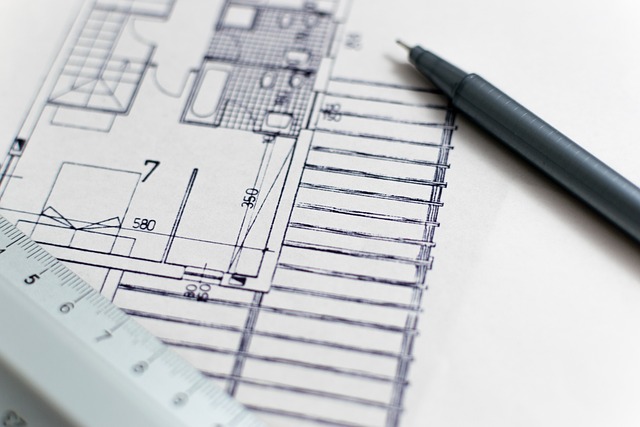
Creating A Floor Plan Free Tools vs Paid Solutions Which Drives Better Design Outcomes
I Evaluated G2 Reviews for 11 Free Floor Plan Software
Free floor plan software has become a practical entry point for designers and architects exploring digital space planning. After reviewing user insights from G2, it’s clear that while free tools are helpful for quick layouts or early-stage concepts, they rarely meet the depth required for professional work. Paid platforms, by contrast, deliver advanced modeling, rendering, and collaboration features that streamline complex workflows. For anyone creating a floor plan free of cost, these differences define whether a tool supports experimentation or production-grade design.
The Landscape of Floor Plan Design Software
Digital design tools have transformed how architects and interior designers translate ideas into visual plans. Modern software now acts as an ecosystem that connects drafting precision with immersive visualization and collaborative project management.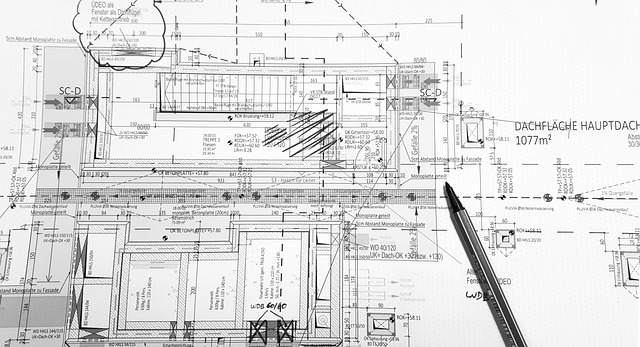
The Role of Digital Tools in Modern Space Planning
Floor plan software has evolved from basic line-drawing programs into complete spatial modeling environments. Professionals depend on these applications to refine measurements, align structural logic, and visualize interiors before construction begins. The decision between free and paid solutions often shapes productivity—free tools allow experimentation but limit scalability, while paid versions enhance workflow efficiency through automation and integration.
Evaluating Software Through User Feedback Platforms
User feedback platforms such as G2 reveal consistent patterns in how professionals evaluate design software. Experienced users highlight usability and technical depth as key factors influencing satisfaction. They also stress the importance of interoperability with CAD or BIM systems for smooth transitions across design stages. Comparative reviews show that even minor interface delays or export restrictions can significantly affect overall performance metrics.
Key Features of Free Floor Plan Tools
Free software options remain attractive to students, freelancers, or small studios seeking lightweight solutions. Yet their capabilities vary widely depending on the developer’s focus—some prioritize simplicity, others emphasize layout precision.
Core Functionalities Typically Available in Free Versions
Most free floor plan tools include fundamental 2D drawing functions that enable quick sketches and room measurements. Users can insert furniture templates or structural elements from limited libraries to visualize proportions. Exporting is usually confined to image files or PDFs, enough for presentation but insufficient for technical documentation.
Limitations That Impact Professional Workflows
The absence of 3D rendering engines restricts spatial realism in free versions. These programs often cap project size or limit cloud storage capacity, making them unsuitable for large-scale architectural work. Collaboration tools are minimal, forcing teams to rely on external communication channels. Integration with BIM standards is rare, which prevents seamless data exchange with engineering models.
Examples of Commonly Used Free Platforms (Based on G2 Insights)
Tool A: Strengths and Weaknesses Highlighted by Users
G2 reviewers frequently praise Tool A for its intuitive interface that supports quick conceptual sketches without steep learning curves. However, they note limited customization options and poor scalability when handling multi-story projects or commercial layouts.
Tool B: User Feedback on Functionality and Reliability
Tool B earns positive feedback for its reliable 2D layout system but lacks automation features like dimension correction or material estimation. Several users report lagging performance when working with complex geometries or importing external CAD files.
Advantages of Paid Floor Plan Solutions for Professional Designers
Paid design suites expand far beyond drawing functions—they integrate visualization engines, real-time collaboration frameworks, and vendor-specific asset libraries that align with professional standards.
Expanded Feature Sets Supporting Advanced Design Needs
Premium platforms include detailed 3D modeling environments with realistic lighting simulation and texture mapping. Many integrate directly with architectural modeling systems and virtual reality walkthroughs to support client presentations. Their component libraries often contain manufacturer-certified materials that improve specification accuracy during procurement phases.
Workflow Optimization Through Collaboration Tools
Collaboration defines modern architecture practice. Paid solutions enable multiple stakeholders to edit simultaneously within shared cloud environments, maintaining version control automatically. API integrations connect these platforms with project management systems so designers can synchronize schedules and budgets alongside visual progress tracking.
Scalability and Support as Differentiating Factors
Technical Assistance and Training Resources
Professional-grade software typically includes dedicated support channels offering live chat or phone assistance during critical project phases. Regular updates introduce compliance features aligned with ISO building information standards or regional codes.
Licensing Models Tailored to Business Growth
Flexible licensing allows firms to scale usage according to team size or contract volume. Enterprise packages may include analytics dashboards that track resource allocation across projects—a valuable function when managing multiple client portfolios.
Comparative Analysis: Free vs Paid Solutions in Practice
Comparing both categories reveals a trade‑off between accessibility and capability. Free tools simplify entry into digital drafting but rarely sustain professional production needs over time.
Evaluating Design Quality Outcomes Based on Tool Capabilities
Paid programs consistently produce higher-quality visuals due to advanced rendering engines capable of simulating realistic lighting conditions and materials. Free alternatives are adequate for concept validation yet fall short when generating detailed construction documentation or photorealistic presentations demanded by clients.
Cost-Benefit Considerations in Professional Environments
When Free Tools Are Sufficient for Experts
Experts sometimes use free floor plan tools during early ideation stages where speed matters more than precision. They’re also useful in educational contexts where students practice layout logic before transitioning to industry-standard systems.
Situations Where Paid Software Delivers Superior ROI
For large-scale commercial developments requiring exact tolerances or regulatory compliance checks, paid software provides measurable returns through reduced rework time and integrated data management. Over long project cycles, these efficiencies offset licensing costs by improving coordination across disciplines.
Emerging Trends Influencing Future Floor Plan Software Development
The next generation of floor plan applications reflects broader shifts in technology adoption—cloud computing, artificial intelligence, and sustainability analytics are reshaping how spatial data is processed and shared.
The Shift Toward Cloud-Native Design Platforms
Design teams increasingly operate remotely across continents. Cloud-native platforms allow real-time access to shared assets without manual file transfers. Continuous deployment means new features appear instantly rather than through annual updates—a model common among SaaS-based architecture tools today.
Incorporation of AI-Assisted Design Capabilities
Predictive Layout Generation and Optimization Algorithms
AI-driven engines analyze spatial requirements such as circulation paths or daylight exposure to suggest optimized configurations automatically. This predictive approach reduces repetitive drafting tasks while maintaining functional balance within layouts.
Intelligent Error Detection During Drafting Stages
Machine learning modules now detect inconsistencies in dimensions or code violations before submission stages begin. Automated validation not only saves time but also enhances compliance reliability across multidisciplinary teams.
Sustainability-Oriented Features in Next Generation Tools
Environmental responsibility influences every phase of building design today. Energy modeling modules embedded within newer software help architects assess potential consumption early in planning stages using ISO 52000 energy performance metrics. Integrated material databases also guide eco-friendly selection processes aligned with green certification frameworks such as LEED or BREEAM standards.
FAQ
Q1: What’s the best approach when creating a floor plan free?
A: Start with simple 2D tools focusing on accurate dimensions; upgrade later if visualization depth becomes essential for client presentations.
Q2: Are free floor plan apps reliable enough for commercial use?
A: They perform well for small interiors but lack advanced data handling needed in large architectural projects where precision drives compliance outcomes.
Q3: How do G2 reviews help professionals choose the right tool?
A: Aggregated user experiences expose recurring issues like stability or export limitations that might not appear during short trial periods.
Q4: Can AI fully replace manual drafting skills?
A: Not yet—AI assists pattern recognition but still depends on human judgment for contextual decisions such as aesthetics or user flow logic.
Q5: Which trend will most influence future floor plan software?
A: Cloud collaboration combined with AI-assisted optimization will likely dominate development priorities over the next five years as remote teamwork becomes standard practice worldwide.