

How to use a 3D view of a building plan for better layouts
What a 3D view of a building plan actually shows
A 3D view of a building plan converts a flat layout into a spatial model. It can show room relationships, circulation, ceiling heights, openings, stairs, furniture clearances, and exterior massing in a way that most stakeholders can read quickly. For anyone searching for 3d view of building plan, the real value is not simply producing an attractive image. It is using the view to test the layout before drawings, approvals, procurement, and site work make assumptions harder and more expensive to change.
In building layout work, a 3D view is best treated as a communication and decision-making layer. It may come from a basic massing model, a detailed architectural model, or a building information model. The output might be a simple perspective, an axonometric cutaway, a rendered room scene, or a walk-through model. The format matters less than the question it answers: does it help the project team see spatial relationships that are difficult to judge from a 2D floor plan alone?
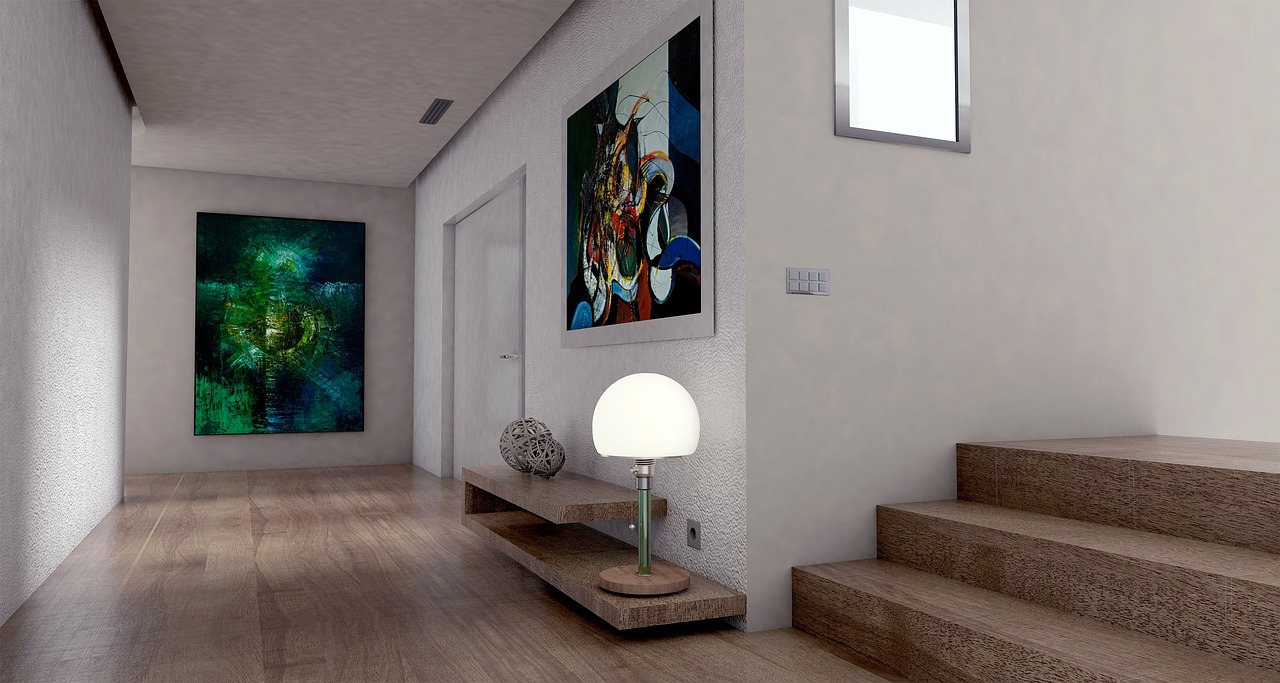
A floor plan remains essential because it gives measurable information, including wall locations, door swings, dimensions, grid lines, and room labels. A 3D view adds a different type of value by showing how the plan works as space. That makes it useful for early layout review, owner presentations, apartment planning, residential design, retail interiors, hospitality spaces, and projects where movement through the building is as important as the area schedule.
For more related planning topics, see the building layout section.
3D view, 2D floor plan, and BIM model are not the same thing
These terms are often used together, but they do different jobs. A 2D floor plan is a scaled drawing that cuts through the building horizontally. A 3D view represents the design in height, depth, and volume. A BIM model goes further by combining geometry with structured information about building elements.
The National Institute of Building Sciences describes a building information model as a digital representation of a facility’s physical and functional characteristics. buildingSMART, the organization behind openBIM standards, describes Industry Foundation Classes as an open, vendor-neutral digital description for built assets, published as ISO 16739-1:2024. These distinctions are important because a useful 3D picture is not automatically a reliable information model. A polished rendering should not be treated as a construction-ready model unless the underlying information supports that use.
| Format | Main purpose | Typical strength | Main limitation |
|---|---|---|---|
| 2D floor plan | Set out rooms, walls, dimensions, doors, and circulation | Precise for layout measurement and documentation | Harder for non-specialists to understand volume and height |
| 3D view | Show space, form, height, and visual relationships | Easy to understand and useful for design review | May omit hidden dimensions, tolerances, and technical details |
| BIM model | Link geometry with data, coordination, and asset information | Useful for multidisciplinary coordination and information management | Requires agreed model uses, responsibilities, and level of detail |
This distinction helps avoid a common mistake: treating a 3D view as proof that the building is ready to construct. In professional workflows, plans, sections, elevations, schedules, specifications, structural drawings, MEP drawings, code review, and contract documents still contain critical information that a 3D image alone cannot replace.
Where 3D views improve building layout decisions
A good 3D view improves decisions by exposing the gap between what a plan indicates and what users will experience. Its value is not limited to appearance. It can affect circulation, privacy, daylight, furniture fit, vertical movement, service access, and the relationship between indoor and outdoor space.
Circulation and wayfinding
In 2D, corridors and entrances can appear logical because the lines connect neatly. In 3D, the same layout may reveal a confusing arrival sequence, a hidden stair, a tight transition, or a lobby that does not visually guide visitors. In public buildings, offices, healthcare settings, retail spaces, and multi-unit housing, those issues can affect comfort and day-to-day operations.
Room proportion and ceiling height
A bedroom, meeting room, or living area may meet area expectations on plan but feel compressed once ceiling height, window size, wall thickness, and furniture are viewed together. A 3D view makes proportions easier to judge because it shows volume, not just square footage.
Adjacency and privacy
Plans show which rooms sit next to each other, but 3D views make sightlines clearer. They can help identify whether a front door opens directly into a private living area, whether a bathroom door is too visible from a dining space, or whether office workstations are exposed to public circulation. These are layout issues, not decoration issues.
Openings, daylight, and views
Window placement is easier to understand in 3D because the view can show sill height, head height, wall thickness, room depth, and furniture relationships. It can also reveal when a window looks strong on an elevation but provides weak daylight or a poor view from the actual occupied position.
Stairs, ramps, and vertical connections
Stairs often create layout problems because they combine circulation, structure, headroom, railing design, and code requirements. A 3D view helps clarify how a stair arrives, whether it interrupts a room, and whether the space below or around it is usable. Final compliance still requires technical review, but the spatial issue becomes visible earlier.
How to read a 3D view before approving a layout
A 3D view should be reviewed with specific questions, not just a general reaction to the image. Instead of asking whether it looks good, ask which layout decision the view is meant to test. A practical review moves from overall organization to detailed usability.
- Start with orientation. Identify the entrance, north direction if available, main public areas, private areas, service zones, and vertical circulation.
- Check the user journey. Follow the route from arrival to the main rooms. Look for awkward turns, dead zones, unclear transitions, or unnecessary travel distances.
- Compare room size with furniture. A room without furniture can look generous. A room with realistic furniture, door swings, storage, and circulation clearances gives a more honest impression.
- Look at heights. Review ceiling height, step changes, beams, soffits, window heights, and stair clearances where visible.
- Test privacy and sightlines. Stand virtually at entries, corridors, seating areas, beds, counters, and workstations. Notice what is visible and what is hidden.
- Ask what is not modeled. Confirm whether structure, mechanical equipment, plumbing stacks, electrical panels, shafts, insulation thickness, and ceiling services are included or omitted.
The last step is often the most important. A 3D view can create confidence, but that confidence should match the completeness of the model. If key systems are not included, the view may still be valuable for layout discussion, but it should not be treated as a coordination sign-off.
When to use 3D views during the design process
The best time to use a 3D view depends on the decision being made. Early views should be simple enough to keep options open. Later views should become more precise as decisions become harder to reverse.
| Project stage | Useful 3D view type | Best decision to test |
|---|---|---|
| Concept planning | Massing model or block layout | Building position, overall volume, basic circulation, and relationship to site |
| Schematic design | Room-based model with openings | Room proportions, adjacency, entries, stairs, daylight, and visual hierarchy |
| Design development | Coordinated architectural model | Structure, envelope, ceiling zones, service routes, and material transitions |
| Pre-construction review | Detailed model or selected cutaway views | Constructability, clash risks, installation access, and final owner understanding |
| Marketing or sales | Rendered view or virtual tour | Buyer comprehension, finish atmosphere, and spatial storytelling |
At concept stage, overly polished renderings can be risky because they may make unfinished decisions feel fixed. A simple white model or cutaway view is often more productive for layout discussion. At later stages, a realistic view can help confirm finishes, lighting intent, and interior character, provided it stays aligned with the approved drawings and specifications.
What should be included in a useful 3D building plan view
Not every project needs a highly detailed model. The right level of detail depends on the question being answered. A small residential layout review may need walls, doors, windows, stairs, cabinets, fixtures, and basic furniture. A commercial layout may also need structural grids, ceiling zones, service rooms, equipment clearances, and accessible routes. See also: Building Styles.
A useful 3D view for layout decisions commonly includes:
- Exterior walls, interior partitions, floor levels, and roof or ceiling references
- Doors, windows, openings, balconies, terraces, and main facade elements
- Stairs, ramps, elevators, and major vertical shafts where relevant
- Built-in furniture, kitchen layouts, bathroom fixtures, storage, counters, and wardrobes
- Loose furniture at realistic sizes, especially in compact rooms
- Basic material zones when they affect spatial reading, such as glazing, solid walls, screens, and railings
- Cutaway or exploded views when the project has multiple levels or complex circulation
For professional coordination, the project team should also agree on what the model may be used for. AIA digital practice materials treat model sharing, authorized uses, and reliance as issues that should be defined in project documentation. In practical terms, a client presentation model, a permit model, and a construction coordination model may look related, but they do not carry the same responsibility unless the project documents say so.
Common limitations and mistakes to avoid
A 3D view is powerful because it is easy to understand. That same strength can become a weakness when viewers assume the image contains more information than it does. The most common mistakes are approving a layout based on visual appeal, overlooking unmodeled systems, and confusing presentation quality with technical completeness.
Do not rely on camera angle alone
A wide-angle perspective can make a room appear larger than it is. A carefully chosen view can also hide tight circulation or awkward corners. Ask for plan-aligned views, cutaway views, or multiple camera positions when the layout decision is important.
Do not treat furniture as decoration only
Furniture is a layout test. Beds, dining tables, desks, sofas, counters, wardrobes, and appliances should be modeled at believable dimensions. If furniture is too small, the room may look better in the view than it will perform in use.
Do not ignore building code and accessibility review
A 3D view can help visualize access, travel paths, stair relationships, and clearances, but it is not a substitute for code analysis by qualified professionals. Door widths, exit distances, accessible routes, guard heights, fire separations, and occupancy requirements need formal review under the applicable jurisdiction.
Do not assume all disciplines are coordinated
An architectural 3D model may not include structural framing, ductwork, plumbing slopes, sprinkler routing, lighting layouts, or electrical equipment. Coordination requires the relevant disciplines to model, share, review, and resolve conflicts according to agreed procedures.
A practical checklist for better layout review
Use the following checklist when reviewing a 3D view of a building plan. It keeps the discussion focused on layout value rather than surface styling.
- Can a first-time visitor understand the entrance and main route through the building?
- Are public, private, service, and circulation zones clearly separated where needed?
- Do the main rooms feel proportional in height, width, depth, and furniture arrangement?
- Are door swings, storage access, appliance clearances, and seating zones realistic?
- Do windows support daylight, views, privacy, and furniture placement?
- Are stairs, ramps, elevators, and level changes easy to understand?
- Are there hidden corners, wasted corridors, or spaces that only look useful on plan?
- Has the team identified which structural and MEP elements are not shown?
- Is the model being used for concept discussion, approval, coordination, or presentation?
- Do the 3D views match the latest 2D drawings and schedules?
The strongest layout decisions come from using 2D and 3D together. The 2D plan provides control and measurement. The 3D view provides spatial understanding. A coordinated model can add discipline information and data when the project requires it. The aim is not to replace one format with another, but to reduce uncertainty before construction decisions become expensive to change.
Frequently asked questions
Is a 3D view of a building plan the same as a rendering?
No. A 3D view can be a simple model view, cutaway, axonometric, or walk-through. A rendering usually adds lighting, materials, textures, and visual atmosphere. Renderings are useful for presentation, but a simpler 3D view may be better for layout decisions because it keeps attention on space and function.
Can a 3D view replace a floor plan?
No. A 3D view helps people understand space, but a floor plan remains essential for dimensions, layout control, room labels, door swings, grids, and technical documentation. The two formats should be used together.
What is the best view for checking a building layout?
For most projects, a combination works best: a 2D floor plan, a cutaway 3D view, and one or more eye-level interior views from important user positions. The cutaway explains organization, while eye-level views test experience.
How detailed should the 3D model be?
It should be detailed enough to answer the design question. Early planning may only need walls, openings, stairs, and main furniture. Construction coordination may require structure, systems, equipment clearances, and more precise model information.
Why do 3D views sometimes differ from final construction?
Differences can occur when the model is not updated after drawing changes, when technical systems were not modeled, when products change during procurement, or when the view was made for presentation rather than construction coordination. The project team should clarify the approved source of truth before work begins.