
Can House Plans Online Transform How Experts Use Free Room Design Apps
6 Free Online Room Design Applications to Help Reimagine Your Space
Digital transformation has redefined architectural workflows, enabling experts to design, visualize, and share projects entirely online. Today’s professionals rely on integrated digital platforms where house plans online connect seamlessly with free room design applications. These tools combine technical precision with creative flexibility, allowing real-time collaboration and accurate spatial modeling. The result is a more efficient design process that balances cost, speed, and quality—ideal for both conceptual exploration and professional-grade execution.
The Intersection of House Plans Online and Digital Room Design Tools
The convergence of online house plan repositories and digital design software has reshaped the architectural landscape. Professionals now work within connected ecosystems that merge structural planning with interior visualization.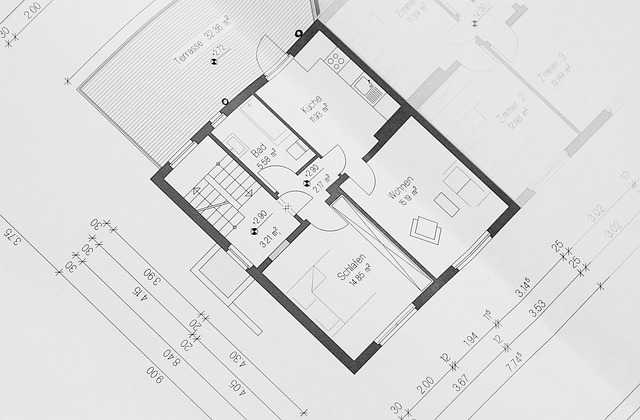
Exploring the Shift Toward Online Architectural Planning
The rise of house plans online has streamlined how architects and designers approach project development. Instead of starting from scratch, experts can select customizable templates that integrate directly into their preferred digital tools. This shift not only reduces time spent on manual drafting but also enhances collaboration between teams in different locations. By embedding live editing capabilities, these platforms foster iterative creativity without compromising accuracy.
How Digital Transformation Impacts Expert Design Practices
Cloud-based systems have introduced real-time synchronization across multidisciplinary teams. A designer adjusting a wall dimension in one location can instantly share updates with engineers or clients elsewhere. Integration between design software and online plans improves measurement precision and consistency in documentation. Professionals also benefit from simulation modules that test lighting, circulation, or furniture placement before construction begins—reducing costly revisions later.
Key Features of Free Online Room Design Applications
Free room design tools have evolved from simple visualization aids into robust platforms capable of supporting expert-level workflows. Their accessibility makes them particularly valuable during early-stage conceptualization or client presentations.
Core Functionalities That Support Expert-Level Design
Modern applications allow users to manipulate dimensions, experiment with materials, and simulate lighting conditions under various scenarios. Drag-and-drop interfaces simplify complex layout adjustments while maintaining technical control over scale and proportion. Many include 3D rendering engines that produce realistic walkthroughs, helping clients visualize outcomes before physical work starts.
Compatibility Between House Plans Online and Free Design Apps
Compatibility is crucial for professionals managing multiple file types across different software environments. Most leading tools now support import/export functions for CAD or BIM formats, allowing seamless transitions between architectural blueprints and room models. This interoperability enables designers to overlay structural data on aesthetic layouts while maintaining alignment throughout project phases.
Evaluating Six Free Room Design Applications for Professional Use
Each platform offers distinct advantages depending on project scale and complexity. The following six represent the most capable options currently available for expert use.
Application 1: Floorplanner
Floorplanner provides an intuitive interface ideal for quick sketches or early-stage proposals. It supports both 2D layout creation and 3D walkthroughs suitable for client presentations. Projects can be shared via cloud links or embedded directly into house plans online systems for collaborative review.
Application 2: Planner 5D
Planner 5D caters to detailed visualizations through its extensive object library covering furniture, textures, and finishes. Its compatibility with virtual reality headsets allows immersive project evaluations during client meetings. Designs can also be exported into CAD-compatible formats for further refinement in specialized software.
Application 3: Roomstyler 3D Home Planner
This tool is well-suited for interior specialists emphasizing material selection or brand-specific furnishings. It includes manufacturer-linked catalogs that align proposals with client preferences. Collaborative cloud access ensures teams can edit simultaneously without version conflicts.
Application 4: SketchUp Free
SketchUp Free remains a favorite among technical experts due to its precision modeling capabilities. Extensions connect it directly to online plan databases, enabling fast integration of structural data into spatial designs. Its rendering features produce presentation-quality visuals suitable for stakeholder approval processes.
Application 5: Sweet Home 3D
Sweet Home 3D stands out as an open-source solution adaptable through plugins or custom scripts. It allows importing existing architectural blueprints as base layers while testing alternative room layouts non-destructively—a valuable feature during renovation planning.
Application 6: Homestyler Online Interior Design Tool
Homestyler operates entirely within a web browser yet supports professional-grade collaboration through BIM-compatible workflows. Teams can analyze lighting distribution or space utilization metrics in real time, aligning conceptual intent with execution feasibility.
Integrating House Plans Online With Professional Workflows
Integrating these free tools into established professional workflows enhances communication efficiency and reduces friction between disciplines.
Enhancing Collaboration Across Multidisciplinary Teams
Architects, engineers, and interior designers can synchronize their work using shared cloud environments tied to house plans online repositories. Version control mechanisms safeguard against data loss during updates while maintaining traceability across revisions—a critical factor in large-scale projects where multiple contributors interact daily.
Streamlining Concept-to-Build Transitions Through Digital Tools
When free room design apps link directly to architectural drawings, decision-making accelerates significantly. Automated measurement synchronization eliminates scaling errors common in manual transfers between programs. Real-time visualization further aids in detecting potential conflicts such as ceiling height mismatches or circulation bottlenecks before construction begins.
The Strategic Value of Using Free Tools in Expert-Level Projects
Beyond convenience, adopting free digital tools carries strategic benefits related to budgeting and innovation within professional practices.
Balancing Cost Efficiency With Technical Precision
Free applications reduce upfront investment while maintaining essential functionality needed for concept validation or client communication. Experts often use them as prototyping environments before migrating finalized designs into premium platforms like Revit or ArchiCAD—saving both time and licensing costs during exploratory stages.
Leveraging Data Insights From Online Platforms
Many modern platforms collect anonymized usage analytics revealing how users interact with spatial layouts or lighting configurations. These insights inform future planning decisions by highlighting patterns in user behavior or recurring design inefficiencies. When paired with AI-driven modules embedded within some systems, predictive modeling becomes possible—allowing professionals to forecast performance outcomes such as energy efficiency or occupant comfort levels based on simulated conditions.
FAQ
Q1: What are the main advantages of using free room design apps?
A: They offer cost-effective access to advanced visualization features like 3D modeling and lighting simulation while supporting file compatibility with professional CAD systems.
Q2: Can these tools handle complex architectural projects?
A: Yes, many support multi-layered designs suitable for expert workflows when combined with house plans online databases or BIM integrations.
Q3: Are free versions secure enough for professional use?
A: Most reputable platforms use encrypted cloud storage and version control systems comparable to paid alternatives, ensuring data integrity during collaboration.
Q4: How do these tools improve communication between clients and designers?
A: Real-time sharing features let clients view updates instantly, reducing miscommunication about spatial arrangements or material choices.
Q5: Do any of these applications support mobile devices?
A: Several including Planner 5D and Homestyler provide mobile access through web browsers or dedicated apps, enabling field edits during site visits without specialized hardware requirements.